Google has just released Android 17 QPR1 Beta 6, bringing a wave of improvements and critical bug fixes for Google Pixel users. With this update, Platform Stability has been achieved, allowing developers to utilize the latest APIs seamlessly. From enhancing the home screen experience to refining desktop mode functionalities, this beta version is live now for all eligible Pixel devices, including the Pixel 10 Pro.
Key Updates and Bug Fixes in Beta 6
With Beta 6 (CP31.260618.005), Android 17 QPR1 has reached Platform Stability, locking in the API surface for developers and enabling them to integrate new features into their applications.
Mishaal Rahman, Android community engagement at Google, X, July 1, 2026
Multi-language spell checker selection is now available
Clock app volume controls are functioning correctly again
Quick Settings panel no longer experiences glitches during rapid carousel swipes
An app-crashing bug has been resolved
Wi-Fi hotspots now display the accurate network name
Enhancements to Home Screen and Desktop Mode
The latest update has also refined the desktop mode, which allows users to connect their phones to monitors. The icons on the taskbar have been relocated to the bottom left, and picture-in-picture windows can now be freely dragged across the screen instead of being restricted to the edges.
Installation Guide for Android 17 QPR1 Beta 6
Steps to Install
Enroll your device on the Android Beta for Pixel website
Navigate to Settings, then System, followed by Software updates, and finally System update
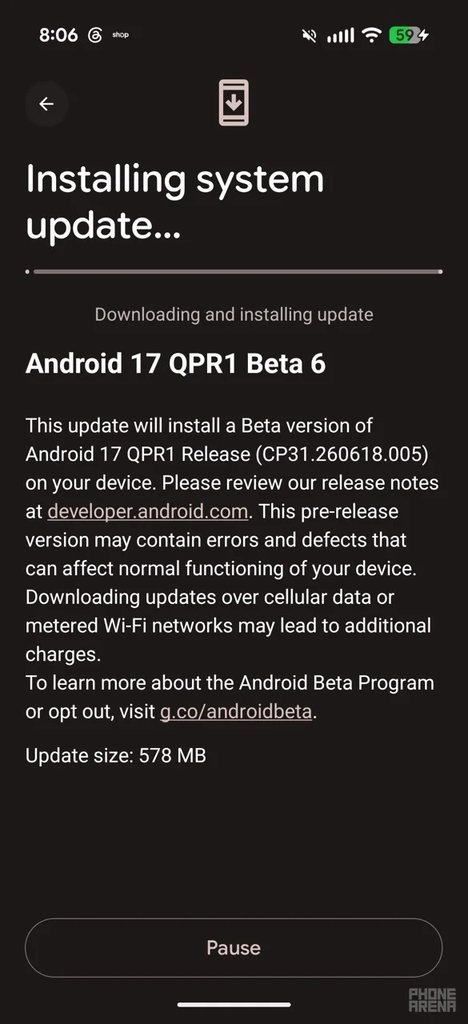
Download and install Beta 6, and restart your device to complete the installation
Downloading Beta 6 on my Pixel 10 Pro Fold. | Image by PhoneArena
Beta Experience: Smooth Sailing or Bumpy Road?
As you explore Android 17, be sure to:
Check out our in-depth review of the Pixel 10 Pro Fold
Learn how Google addressed one of Android 17's previous annoyances in the latest beta
Follow me, @jojothetechie, on X and Threads for insights and updates on the beta experience