Effortless Travel: Chrome's Autofill Feature Simplifies Your Mobile Forms
Starting today, Google is enhancing the way we fill out travel forms with its new Chrome autofill feature. Designed for both Android and iOS devices, this upgrade allows users to effortlessly enter complex details such as flight information, vehicle identification numbers (VIN), and license plate numbers without the usual hassle. Moreover, it seamlessly integrates with Google Wallet to automatically input crucial documents including your driver's license and passport, keeping your travel plans organized and stress-free.
Chrome's Enhanced Autofill: Now on Your Mobile Device
The enhanced autofill feature in Chrome is set to revolutionize how we manage travel documents on our phones. Users are no longer limited to basic forms; they can now autofill information that previously required painstaking input. Whether you're using a Pixel 10 Pro or an iPhone 17 Pro Max, your travel experience just got a whole lot easier.
Impact on Users and Competitors
This new functionality not only benefits users but also introduces healthy competition, particularly for Apple. As Chrome becomes a more attractive option for managing travel-related data, users will start to weigh their choices more carefully.
Who Benefits Most from This Feature?
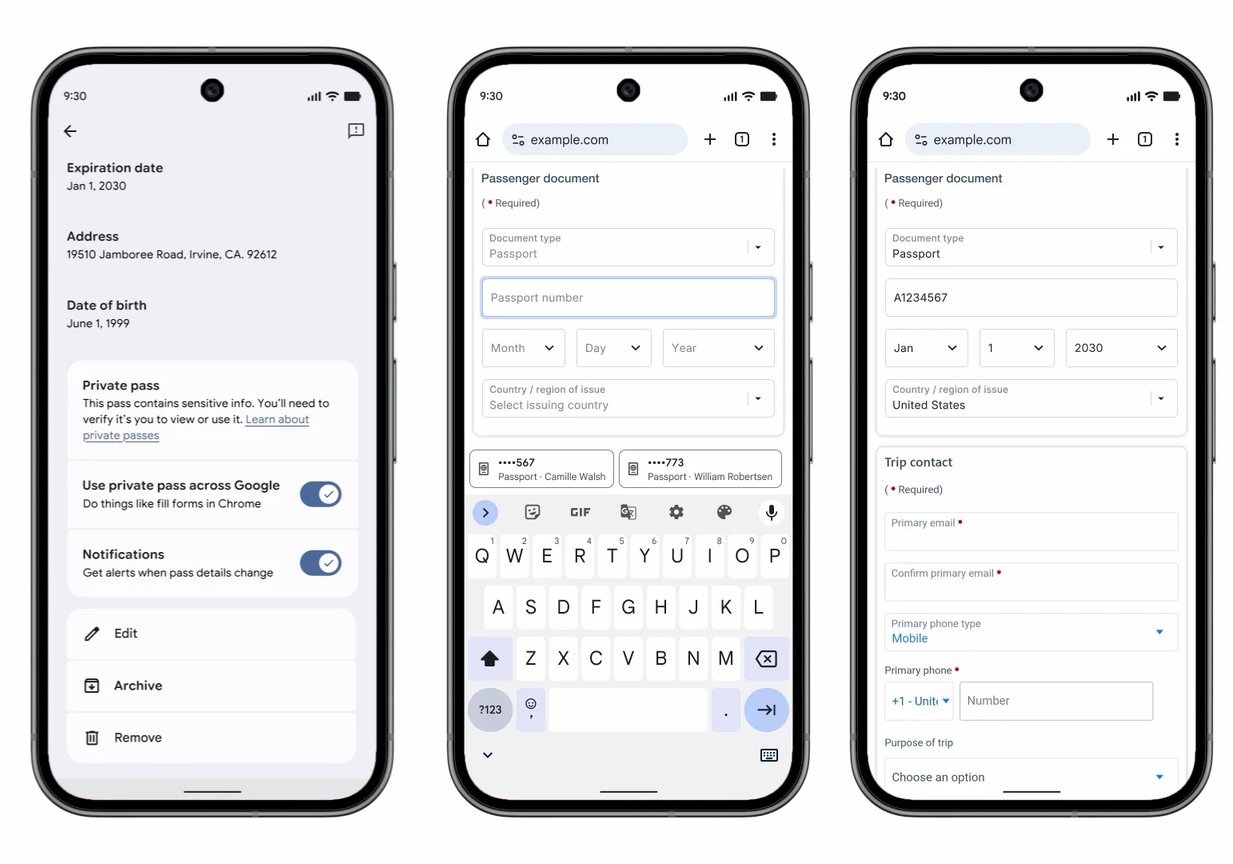
Image showcasing Chrome autofilling a passport form directly from saved Google Wallet data, illustrating the feature’s convenience.
Why Trust Chrome with Your Wallet Information?
If you're already entrenched in the Google ecosystem, this feature is especially beneficial:
- Check out our in-depth review of Google's flagship, the Pixel 10 Pro.
- Explore the impressive capabilities of Apple’s iPhone 17 Pro Max in our review.
- Still undecided on your next phone? Consult our guide on the best Pixel phones available.
- For more discussions and insights, follow me on X and Threads at @jojothetechie.