Introduction: Following the recent roll-out of Android 17 on various Pixel devices, users have reported a peculiar issue affecting the functionality of certain Google and third-party applications when connected to Wi-Fi. While mobile data continues to provide seamless access, the disruption that appears under Wi-Fi is causing confusion and frustration among Pixel users. Below, we delve into the details of this bug, what apps are impacted, and potential workarounds that some users have discovered.
Wi-Fi Connectivity Issues Post-Android 17 Update
This past Tuesday, June 17, Google released the stable version of Android 17. Just a few days later, some Pixel users who updated their devices (the Pixel 6 series and later) found themselves unable to access several Google apps while connected to Wi-Fi. Notably, these applications function smoothly over mobile data but become unresponsive once Wi-Fi is active.
Google and Third-Party Apps Affected by the Wi-Fi Bug
The following apps have been reported to malfunction when used over Wi-Fi on certain Pixel models running Android 17:
- YouTube
- Gmail
- Google Play Store
- Google Keep
- Google Photos
- Google Messages (website access not available over Wi-Fi)
Additionally, some third-party applications, including Instagram and ChatGPT, are also experiencing functional issues.
Google Messages Works but Website Access is Compromised
It’s important to note that while the Google Messages app operates normally with Wi-Fi enabled on Android 17, users cannot access the Google Messages website through Wi-Fi. However, most non-Google apps appear to be functioning without issues regardless of the connection type.
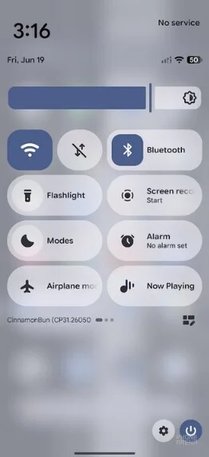
Display of Android 17 running with Wi-Fi enabled but encountering app issues. | Image by PhoneArena
Some users have taken to social media to express their frustrations, and a Reddit user, "harland3", attempted multiple fixes without success, including:
- Clearing data for the affected apps and Google Play Services.
- Forgetting and re-adding the Wi-Fi network.
- Resetting Wi-Fi and Bluetooth connections.
- Factory resetting the device.
A Potential Temporary Fix for Some Users
Some Pixel users have reported that disabling the latest IPv6 protocol on their router resolved the app connectivity issues. However, this change forces dependence on the older IPv4 standard, which may compromise access to IPv6-only resources and certain performance advantages associated with IPv6.
Awaiting Resolution from Google
Despite some users turning off IPv6 on their routers, many continued to face the same app connectivity issues. Observations suggest that the new IPv6 protocol may play a significant role in the bug’s emergence. A handful of users have validated that disabling mobile data while keeping IPv6 enabled allowed them to utilize the problematic apps without issues.
As the situation unfolds, users affected by this bug remain hopeful for a prompt resolution from Google’s engineering team. For context, I have not encountered this issue on my Pixel 6 Pro, which is scheduled to lose Google support this coming October.