In the ever-evolving landscape of mobile technology, Android 17 has made its debut, bringing with it a slew of enhancements that elevate user experience. Among the new features introduced, one stands out as a true innovation: App Bubbles. This multifunctional addition not only amplifies multitasking capabilities but also caters particularly well to users of foldable devices. Let's delve into how App Bubbles can transform your Android experience and enhance productivity.
Google has launched Android 17 earlier than usual this year, setting a new standard that promises quicker rollouts of manufacturer-specific skins such as Samsung's OneUI and Xiaomi's Hyper OS. Although many features showcased at Google I/O 2026 focused heavily on AI, one aspect that flew under the radar is the introduction of App Bubbles—a feature that has undoubtedly captured my interest and has the potential to revolutionize multitasking on Android devices.
Unpacking the Potential of App Bubbles
The App Bubbles feature might seem like a minor addition in the Android 17 changelog, but for multitaskers, it is a gamechanger. It's designed to enhance Android's already impressive multitasking capabilities, creating a more fluid experience when juggling multiple applications. While I typically do not require simultaneous access to a multitude of apps, the enhanced flexibility offered by App Bubbles makes this task much simpler.
On foldable devices, App Bubbles truly come to life, complemented by the newly introduced Bubble Bar. This feature not only maximizes screen space but also elevates the multitasking experience, catering perfectly to users who demand efficiency in their workflow.
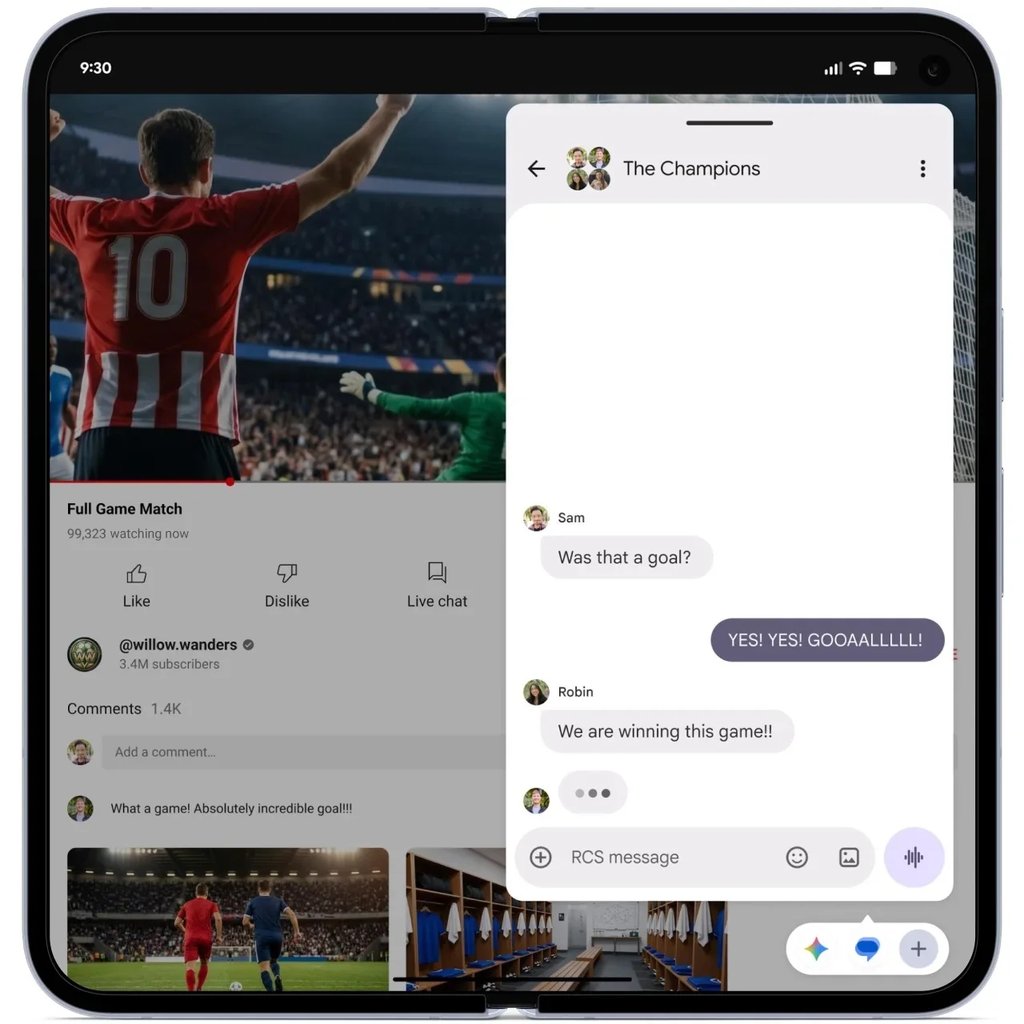
Bubble Bar enhances multitasking capabilities on foldable devices. | Image by Google
Understanding How App Bubbles Work
App Bubbles allow users to open nearly any app in a bubble, reminiscent of chat bubbles found in popular messaging platforms. Activating this feature is simple: a long press on an app icon brings up the new "Bubble" option at the bottom of the menu. Bubbles can be freely positioned on the screen, and launching multiple apps results in a folder bubble that can also be moved around effortlessly.
Currently, users can work with up to five apps in bubble form, making it easy to switch between them with just a tap. Dismissing bubbles is equally intuitive; drag them down to the bottom of the screen, and they're gone—no fuss, no hassle.
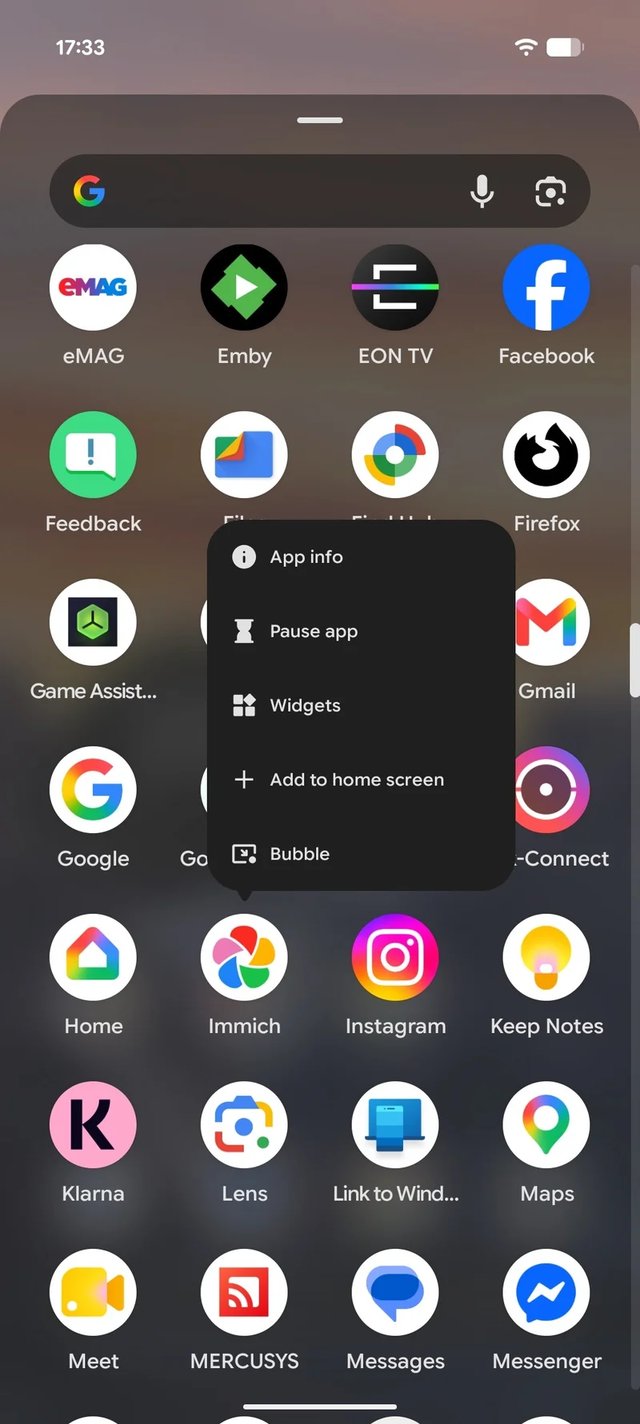
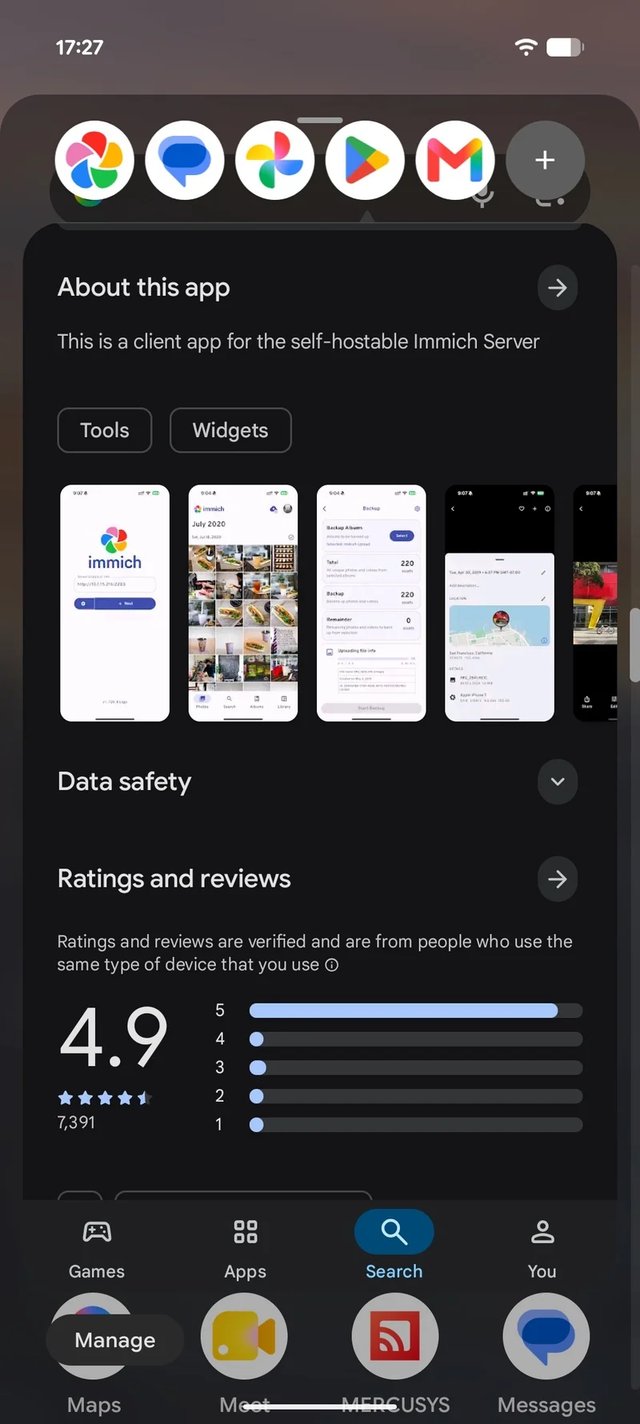
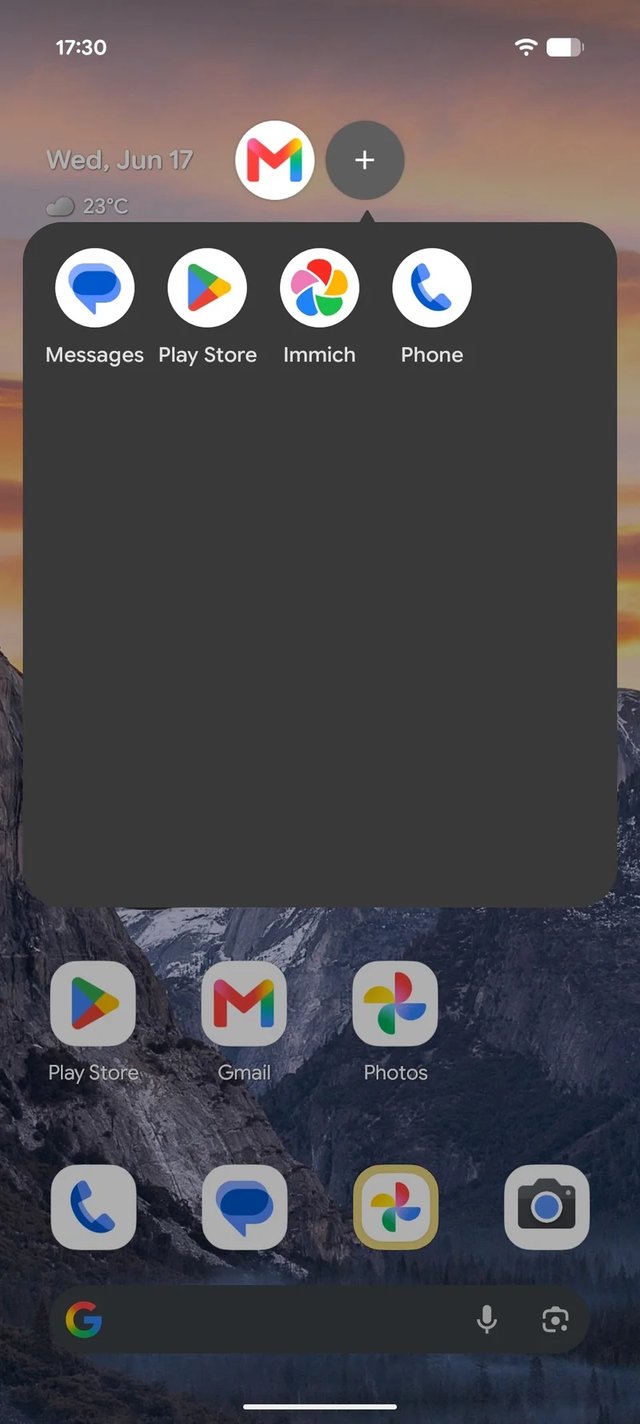
Bubbles are a familiar experience on Android. | Images by PhoneArena
Moving Beyond the AI Hype
While AI enhancements are undoubtedly the buzz of Android 17, there is a growing sentiment among users that we are reaching a saturation point with AI features. Many people are yearning for practical, reliable tools as a counterbalance to the barrage of AI gimmicks.
The introduction of features like App Bubbles, although not entirely new, is a welcome addition and highlights the continued evolution of Android as a platform that prioritizes user needs, especially for those utilizing foldable devices. It's a solid win for the Android community.