Google Calendar Finally Expands its Color Options: A Game Changer for Organization Enthusiasts
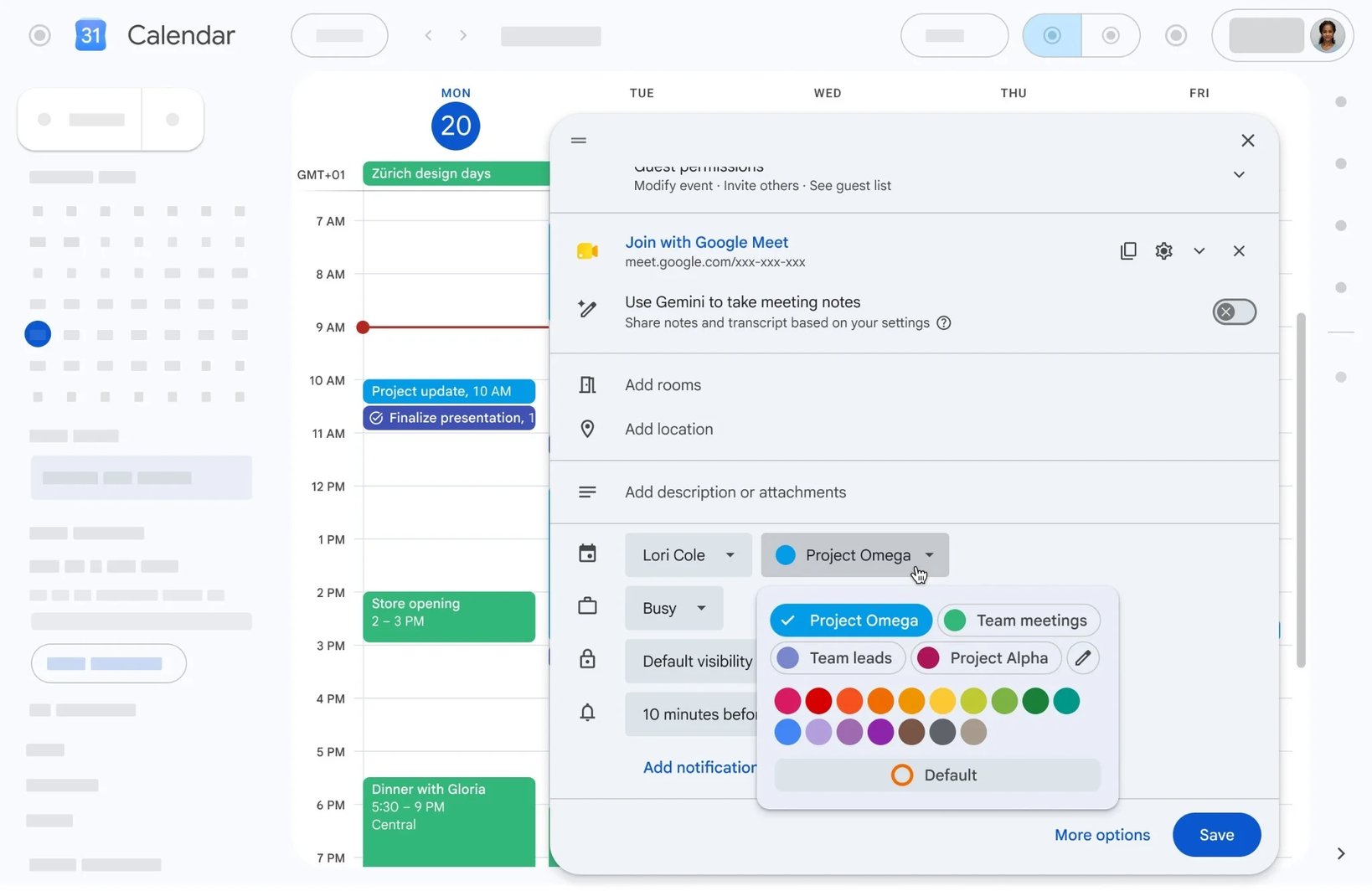
In an exciting development for users who love to color-code their schedules, Google Calendar has removed its previous restriction of just 11 colors for event customization. With this latest update, users can now choose from 24 preset colors and access a robust palette of up to 200 custom shades. Whether you're managing personal commitments or coordinating work tasks, this revamped color picker enhances the organization and visual appeal of your calendar. The update is rolling out now across a variety of devices, including the latest Pixel phones and the iPhone 17 Pro Max.
What’s New in Google Calendar's Color Options
As outlined in an announcement on the Workspace Updates blog, Google has significantly enhanced its event color selection. The web version of Google Calendar now includes:
- 24 default colors for easy selection
- An RGB color picker that allows for up to 200 custom shades per event
This feature is automatically enabled for all users, including Google Workspace customers, Workspace Individual subscribers, and personal Google account holders. The update began reaching Rapid Release domains on June 17, 2026, with Scheduled Release following on June 29.
Why the Previous Color Limitation Mattered
Many users found the original limitation of 11 colors inadequate for their organizational needs. This often led to inefficient workarounds like creating multiple calendars to distinguish between different types of events. The upgrade marks a significant shift in how users interact with their calendar - providing a more personalized experience that reflects individual preferences and workflows.
Getting Started with Custom Event Colors
Steps to Customize Event Colors
- Open or create an event in Google Calendar on the web.
- Click on the color menu in the event editor.
- Select one of the 24 default colors or take advantage of the full RGB picker for custom options.
- Choose your preferred shade and save your changes.
Final Thoughts
This update not only enhances the visual experience of Google Calendar but also empowers users to manage their time more effectively through personalized color coding. Color enthusiasts and organization buffs will undoubtedly appreciate this major step forward.
More Updates from Google
- Google Calendar now also supports a dark mode and features a refreshed Material Design 3 aesthetic.
- The addition of birthday reminders directly in the app has been another long-awaited enhancement.
- For more updates and tech insights, follow @jojothetechie on X and Threads.