Experience Enhanced Typing on Your Android Device
A recent report reveals that Google is currently testing an exciting feature in the beta version of Gboard (version 16.6), designed to significantly enhance the typing experience on Android devices.
Other Interesting Reads

Managing the New Feature
When this feature becomes available on your device, you will receive a prompt to activate it. If you prefer not to use it, you can easily disable it by following these steps:
- Open Gboard Settings
- Tap on Preferences
- Scroll down to Shortcuts
- Toggle the auto-switching option
A Small Yet Impactful Update
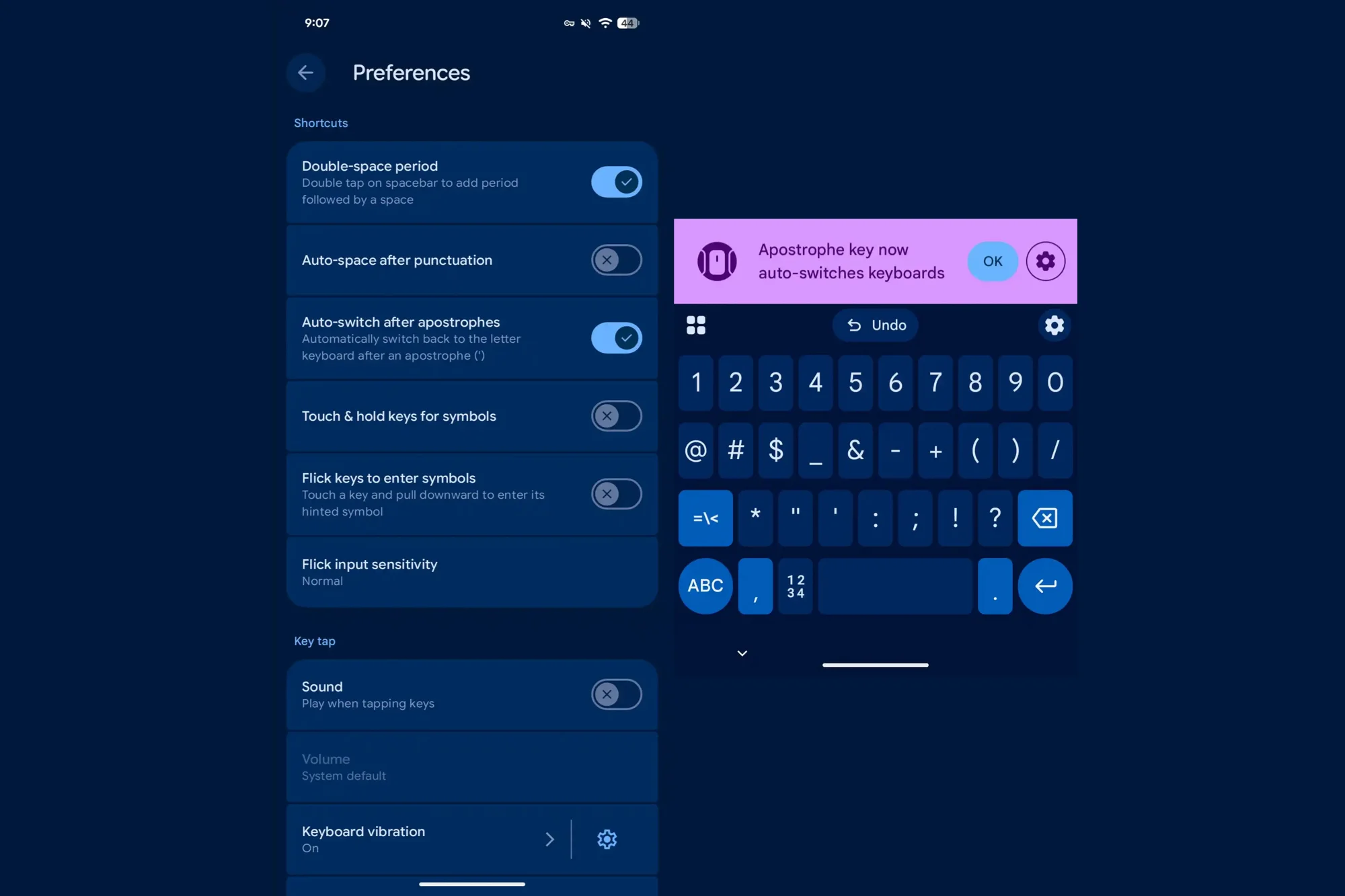
Gboard beta settings with the option to auto-switch after apostrophes. | Image credit — 9to5Google
How Do You Prefer Typing on Your Phone?
I tap every single letter and deal with the switching.
35.9%
I am a glide typing pro so I barely lift my finger.
44.87%
I rely heavily on voice-to-text to avoid typing altogether.
10.26%
I use a third-party keyboard that handles this better.
8.97%
Votes 78
Back to Voting