Introducing a Seamless Gemini Overlay Experience
The Android beta version is gearing up for a significant upgrade with improvements to Gemini, Google's multitasking overlay. Previously, once you dismissed Gemini, the session would end completely, requiring a fresh start when reopened. This is about to change, addressing a key inconvenience users faced.
Do you use Google Gemini on Android?
What’s New with Android Multitasking?
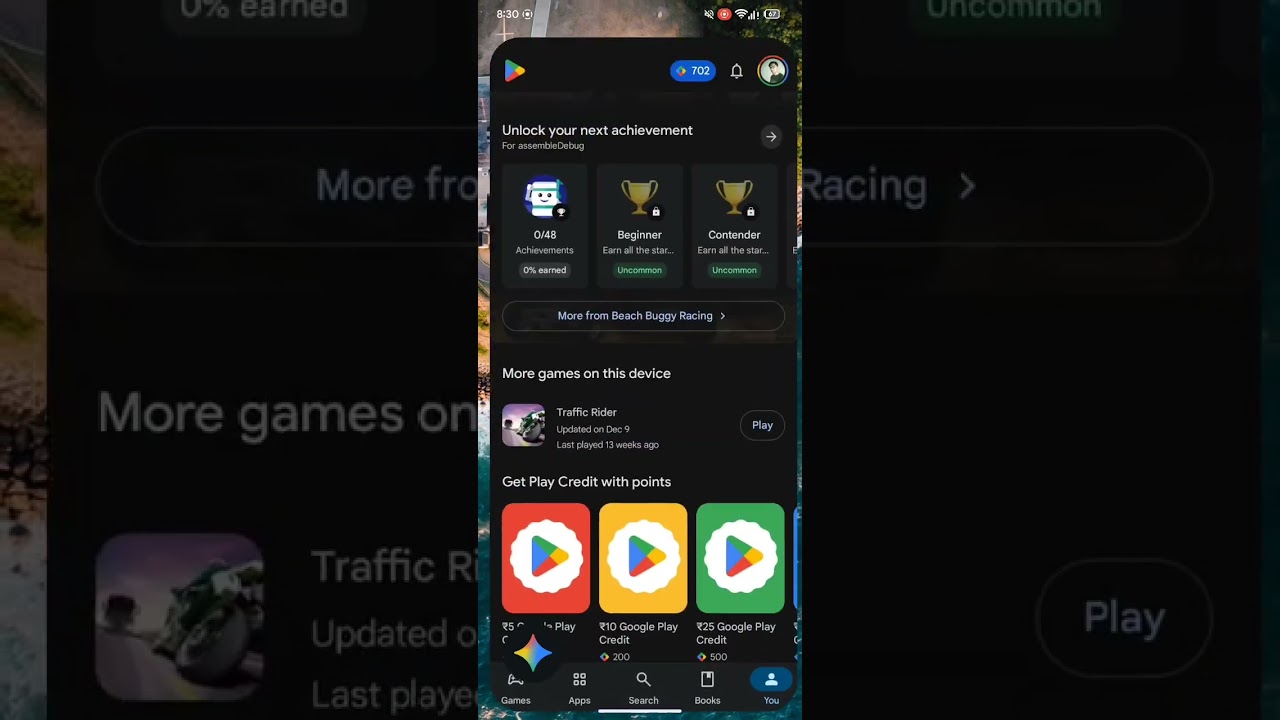
One of the biggest usability improvements is that backing out of Gemini will no longer terminate your session. Instead, the overlay will minimize, displaying a small floating icon at the bottom of your screen. Tapping this icon will instantly bring you back to the exact spot in your session, eliminating the frustration of restarting your workflow from scratch.
Making AI Easy and Accessible
While some studies show consumers don’t always appreciate complex smartphone AI features, this revamp directly tackles one of the biggest complaints — accessibility. By making Gemini less cumbersome to use, Google is setting the stage for AI features that truly enhance daily multitasking and productivity without adding hassle.