Introduction
Using a Virtual Private Network (VPN) can seem like a surefire way to protect your online privacy and security. However, there are important risks and performance considerations that every VPN user—especially those using smartphones—needs to understand before installing and trusting such apps. Recently, Google and the U.S. Cybersecurity and Infrastructure Security Agency (CISA) issued strong warnings about malicious VPN applications and questionable providers, emphasizing caution in choosing the right VPN service.
Why VPNs Can Slow Down Your Internet Speed
When you connect to the internet through a VPN, your data is routed through additional servers to mask your IP address and encrypt your traffic. While this process enhances privacy, it inevitably adds extra steps, which can reduce your download and upload speeds. If you notice slower performance in speed tests while using a VPN, this is normal and expected.
Google's Warning on Malicious VPN Apps
Earlier this month, Google issued a critical warning about fraudulent VPN apps that disguise themselves as legitimate services. According to Google’s blog, malicious actors distribute these apps across various platforms, often masquerading as reputable VPN brands or exploiting current events and deceptive advertising tactics. These fake VPN apps can deliver malware that steals personal data, installs remote access trojans, or targets financial information such as banking credentials and cryptocurrency wallets.
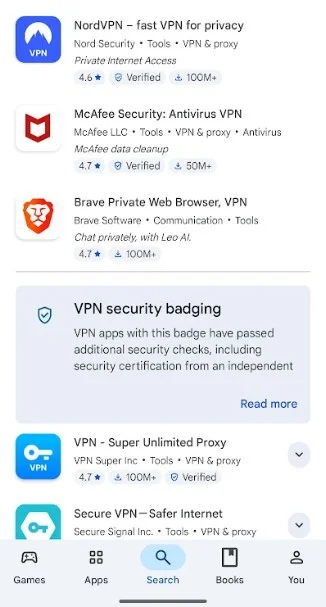
Examples of VPN apps listed on Google Play Store | Image Credit: PhoneArena
CISA's Strong Advisory Against Free and Personal VPNs
The Cybersecurity and Infrastructure Security Agency (CISA), part of the U.S. Department of Homeland Security, has also echoed similar warnings. CISA advises against using personal VPNs, explaining that they simply transfer risks from internet service providers to the VPN provider itself, potentially expanding your attack surface. They emphasize that many free VPN providers have weak security and unsatisfactory privacy policies, which can put users at even greater risk.
Google recommends keeping Google Play Protect enabled on Android devices. This feature uses advanced machine learning to detect harmful apps and blocks their installation, particularly those requesting risky permissions often associated with financial fraud.
Choosing the Right VPN Source
To ensure your safety, always download VPN apps from trusted sources such as the official Google Play Store or Apple App Store. Avoid installing VPN apps from Chinese developers or unknown sources, especially if they are free offers designed to lure users. It’s generally safer to opt for reputable, paid VPN services from well-known Western companies that clearly outline their subscription plans and privacy policies.
Do you use a VPN on your phone?
Current Poll Results:
- Yes, I do. – 77.54%
- No, I don't. – 22.46%
Final Recommendations
Before installing any VPN on your smartphone, verify that it is listed in official app stores and that protective features like Google Play Protect are activated. Avoid disabling these protections to install any app that has been flagged as suspicious. Prioritize paid VPN services with transparent policies over free offers to better safeguard your privacy and financial security.


